
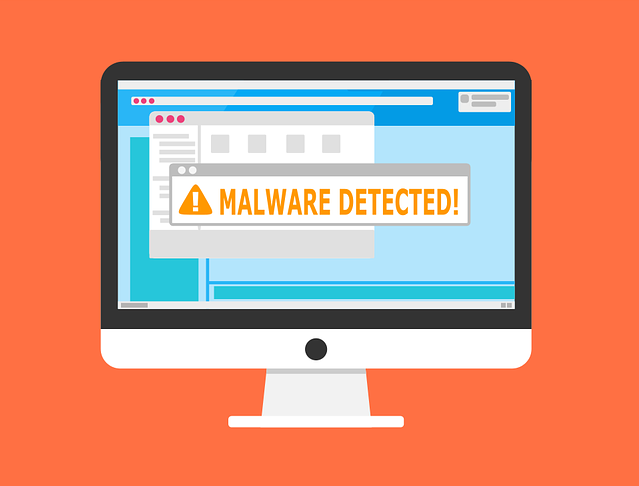
There are many types of malware. One of the most common is called “malvertising.” It crops up everywhere. Including social media sites and websites. You can also see these malicious ads on Google searches.
Two things are making malvertising even more dangerous. One is that hackers use AI to make it very believable. The other is that it’s on the rise, according to Malwarebytes. In the fall of 2023, malvertising increased by 42% (month over month).
It’s important to inform yourself about this online threat. Knowledge is the power to protect yourself. Especially when it comes to malicious cybercriminals. Below, we’ll help you understand malvertising. We’ll also give you tips on identifying and avoiding it.
Malvertising is the use of online ads for malicious activities. One example is when the PlayStation 5 was first released. It was very hard to get, which created the perfect environment for hackers. Several malicious ads cropped up on Google searches. The ads made it look like someone was going to an official site. But instead, they went to copycat sites. Criminals design these sites to steal user credentials and credit card details.
Google attempts to police its ads. But hackers can often have their ads running for hours or days before they’re caught. These ads appear just as any other sponsored search ad on Google.
Google is not the only site where malvertising appears. It can appear on well-known sites that have been hacked. It can also appear on social media feeds.
You might see a slight misspelling in an online ad’s URL. Just like phishing, malvertising often relies on copycat websites. Carefully review any links for things that look off.
A foolproof way to protect yourself is not to click any ads. Instead, go to the brand’s website directly. If they truly are having a “big sale,” you should see it there. This tip is useful for all types of phishing. Just don’t click those links and go to the source directly.
A DNS filter protects you from mistaken clicks. It will redirect your browser to a warning page if it detects danger. DNS filters look for warning signs. They, then block dangerous sites. This can keep you safe even if you accidentally click a malvertising link.
Malvertising will often land you on a copycat site. The login page may look identical to the real thing. One of the things phishers are trying to steal is login credentials. They can get big money for logins to sites like Netflix, banks, and more.
If you click an ad, do not input your login credentials on the site. Even if the site looks legitimate. Go to the brand’s site in a different browser tab.
Phishing can also happen offline. Some malicious ads include phone numbers to call. Unsuspecting victims may not realize fake representatives are part of these scams. Seniors are often targeted with malvertising scams. They call and reveal personal information to the person on the other end of the line.
Just say no to calling numbers in online ads. If you find yourself on a call, do not reveal any personal data. Just hang up. Remember, this is an elaborate scam. These people prey on triggers like fear. They also work to gain your trust.
“Get a free copy of MS Word” or “Get a Free PC Cleaner.” These are common malvertising scams. They try to entice you into clicking a download link. It’s often for a popular program or freebie. The link actually injects your system with malware. The hacker can then do further damage.
Never click to download anything from an online ad. If you see an ad with a direct download link, it’s often a scam.
If you see a suspicious ad, warn others. This helps keep your colleagues, friends, and family more secure. If you’re unsure, try a Google search on the ad. You’ll often run across scam alerts confirming your suspicion.
It’s important to be smart and arm yourself with knowledge. You can then share this with others. Foster this type of cyber-aware community. It helps everyone ensure better online security as well as get alerted of new scams cropping up.
Is your device up to date with security patches? Do you have a good anti-malware solution? Is DNS filtering installed to block dangerous websites?
If you’re not sure of any of those questions, contact us. Our cybersecurity experts are here. We’ll help you find affordable solutions to secure your online world.
Give us a call or email to schedule a chat about online security.
—
This Article has been Republished with Permission from The Technology Press.
 October 29, 2025
Cloud, On-Prem or Colocation
October 29, 2025
Cloud, On-Prem or Colocation
 March 25, 2025
8 Ways to Organize Your Devices for Productivity
March 25, 2025
8 Ways to Organize Your Devices for Productivity
 March 20, 2025
How to Minimize Ransomware Damage
March 20, 2025
How to Minimize Ransomware Damage
Join the numerous SMBs that have chosen Share IT to streamline their IT operations and boost their business efficiency. Contact us today to discover how we can tailor our IT solutions to your business needs and help you achieve your strategic goals.

We go above and beyond to exceed customer expectations by consistently delivering superior IT services, based on unique needs. Our goal is to foster long-lasting partnerships based on trust and reliability, empowering businesses to focus on their core competencies by relieving IT stress.


Customised IT solutions – tailored to the unique needs of your business rather than the “one size fits all” approach. Taking time to understand your business objectives, creating tailored, adaptable technology strategies to enable growth and success.

In house, UK based helpdesk services offering named technicians who develop a deep understanding of your business. Direct, open lines of communication to ensure strong partnerships, prompt, tailored solutions, and exceptional service delivery.

Adaptable contracts without the need for long-term obligations. Our customers stay with us because of the value they place upon our services, not because they are tied in without a choice. This mutual fit brings peace of mind, financial flexibility, and ongoing positive partnerships.


